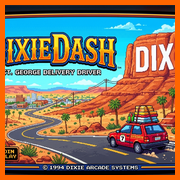
DIXIEDASH
St. George Delivery Driver • iPhone Edition
✓ iPhone Screen Fit & Fullscreen App Enabled
🎮 PLAY RIGHT NOW(Fits iPhone Screen Cleanly!)
📲 HOW TO ADD FULLSCREEN APP TO HOME SCREEN (NO BROWSER BARS):
- 1Open dixiedash.web.app in Safari on your iPhone (if you opened this inside Gmail, tap the Safari compass icon in the bottom-right corner first).
- 2Tap the Share button [↑] at the bottom of Safari, scroll down, and tap "Add to Home Screen".
- 3Open DixieDash from your Home Screen — it now launches 100% Fullscreen with ZERO Safari browser menus!
⚠️ Note: If you added an older shortcut to your Home Screen earlier, delete that old icon first and re-add it so your iPhone uses the new Fullscreen mode!
⚡ ALTERNATIVE: 1-TAP APPLE APP INSTALLER PACKAGE
Don't want to use the Share menu? Tap below in Safari to install the official Apple iOS Web Clip package directly to your Home Screen:
📦 INSTALL IPHONE APP PROFILE
After tapping: open iPhone Settings → Profile Downloaded → Install.